


eDofE is our digital system where participants record their DofE programme and activities online, and get each section approved by a DofE Leader. Once a participant enrols, a DofE Leader will create an eDofE account for them.
Learn how to create a participant in eDofE.
For other useful eDofE FAQs, toolkits and user guides for Leaders and Managers please visit eDofE Support.
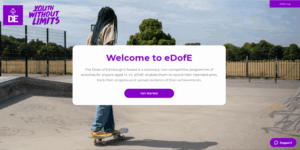
Signing into eDofE
Easily sign into eDofE by clicking the ‘eDofE login’ button in the top right of any page of this website, or visit eDofE.org.
eDofE Mapping
The OS eDofE Mapping system is accessible via eDofE, allowing you to create personalised expedition maps. For adults, you can access OS map by selecting ‘Resources’ on the left-hand toolbar, followed by ‘Mapping’. For participants, it’s under their Expedition section.
Please read the OS eDofE Mapping user guide for detailed instructions on how to use the software or visit eDofE Mapping FAQs.
Instructional videos
Watch our series of eDofE training videos, designed to help guide Managers, Leaders and Co-ordinators through the system.
Technical Support
Can’t find what you’re looking for? Get in touch with the eDofE technical support line Monday-Friday (09.00 – 17.00):